Press kit
Writing about Snappington?
Logos, words, colours and screenshots. Use them to write about Snappington, and please don’t redraw or recolour the logo. Questions and interviews: hello@snappington.app.
Fact sheet
The short version.
| Name | Snappington (one word, capital S) |
|---|---|
| What it is | A screenshot, screen-recording and step-guide app |
| Platforms | Windows 10 and 11. macOS is on the way. |
| Price | Free during the public beta. Snappington will become a paid app after the beta; the price isn’t set yet. |
| File format | .snpt, a documented ZIP of PNG and JSON |
| Built with | A Rust core in a small native desktop app |
| Website | snappington.app |
Boilerplate
In 30 words, or 80.
30 words
Snappington is a screenshot and screen-recording app for Windows. Region, window, full-screen and scrolling capture, markup, recording and step guides. Your files stay on your disk, in an open format.
80 words
Snappington is a desktop app for capturing and explaining what’s on your screen. It takes region, window, full-screen and scrolling screenshots, marks them up with arrows, callouts, steps and permanent redaction, records video with a built-in editor, and turns a series of clicks into a step guide. It works offline, saves to plain folders in an open format, and is free during its public beta.
Tagline: Screenshots, done properly.
Logos
The butler glyph.
The Inspector’s face in a few strokes: two brows, one raised; a winking eye; a magnifying glass over the other; a handlebar moustache. White on a Racing Green tile. SVG files. Leave clear space of at least half the tile’s width around them, and keep the horizontal lockup at least 128 px wide. On the tile gradient, use the white glyph or the mono white lockup, never the tile.






Mascot
The Inspector.
Old, bald and moustached, peering through a brass magnifying glass with one eye winking. He appears on empty screens, the 404 page and the download page, never in the capture overlay or the editor. SVG files. Please don’t recolour him, give him new poses or make him younger.


Colours
Mostly neutral, a little green.
Roughly 70% neutrals, 20% product screenshots, 8% Racing Green, and 2% for the tile gradient and marigold.
- Racing Green
#0F6B4F - Deep Green
#093A2D - Fresh Green
#23A47C - Mint
#7FE0B5 - Marigold
#F5A524 - Marker
#FFD98A - Ink
#131417 - White
#FFFFFF - Tile gradient
#23A47C → #093A2D
Type: Bricolage Grotesque for headlines, Inter for text, JetBrains Mono for code, all under the SIL Open Font License (Bricolage, Inter, JetBrains Mono).
The name
One word, capital S.
Please
- Snappington, and Snappington’s
- “Captured with Snappington”
- a
.snptfile, a Snappington project; video projects are.snpv - “for Windows 10 and 11; macOS is on the way”
Please don’t
- SnappingTon, SNAPPINGTON in running text, or “Snapp”
- “Snappington it” (it isn’t a verb)
- Recolour, rotate, outline or add effects to the logo
- Say it runs on macOS yet
Screenshots
Straight from the app.
Real screenshots of the app’s interface, at twice screen resolution. The documents in them are made up; Bramblewick is not a real company.
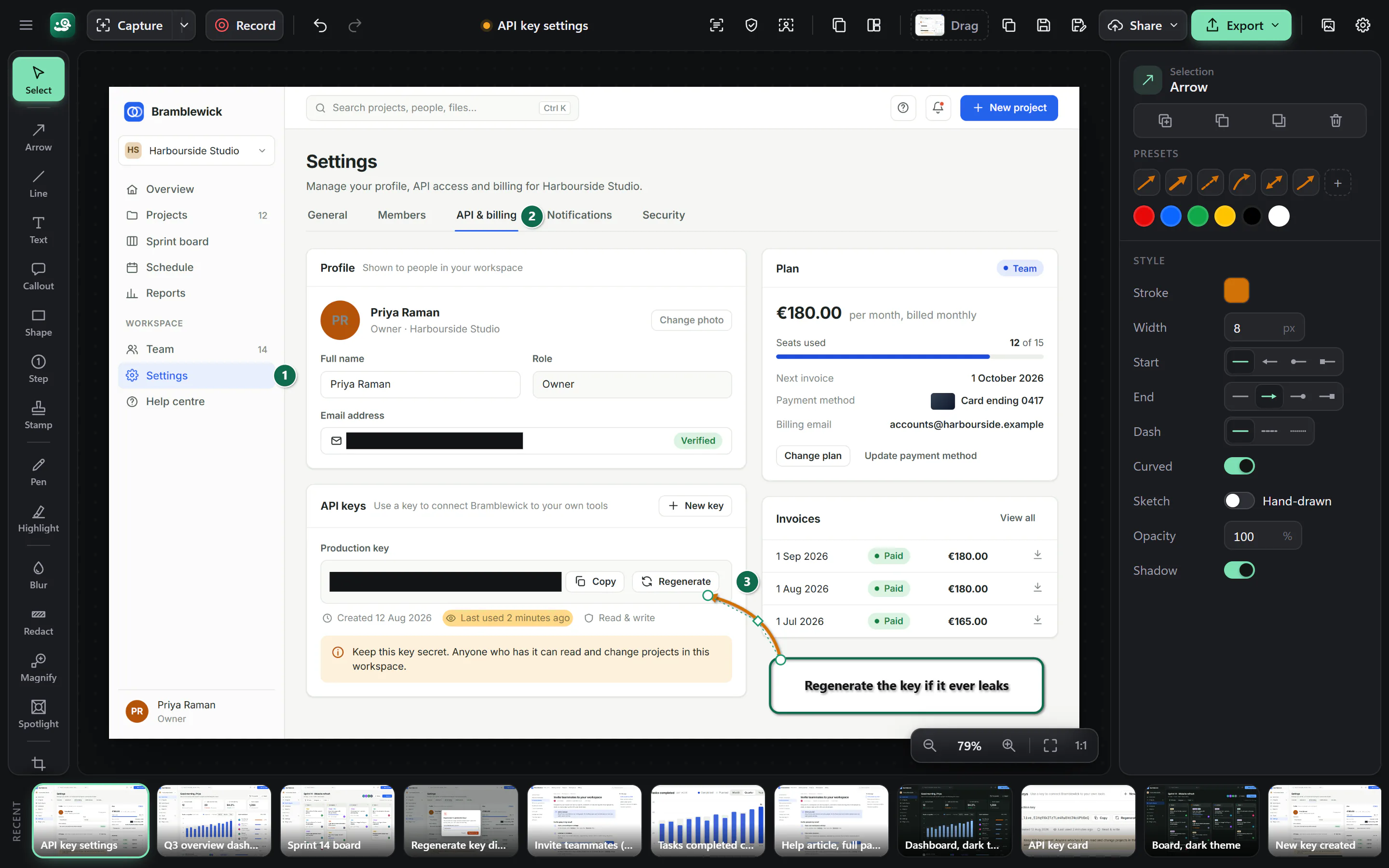
- Hero. Image editor (dark) with a capture of a fictional web app's API & billing settings, marked up: numbered steps 1-3, a marker highlight, redaction bars over the email and API key, and a curved arrow selected (handles, properties panel) pointing from a callout to the Regenerate button. Tool rail with labels, recent-captures strip
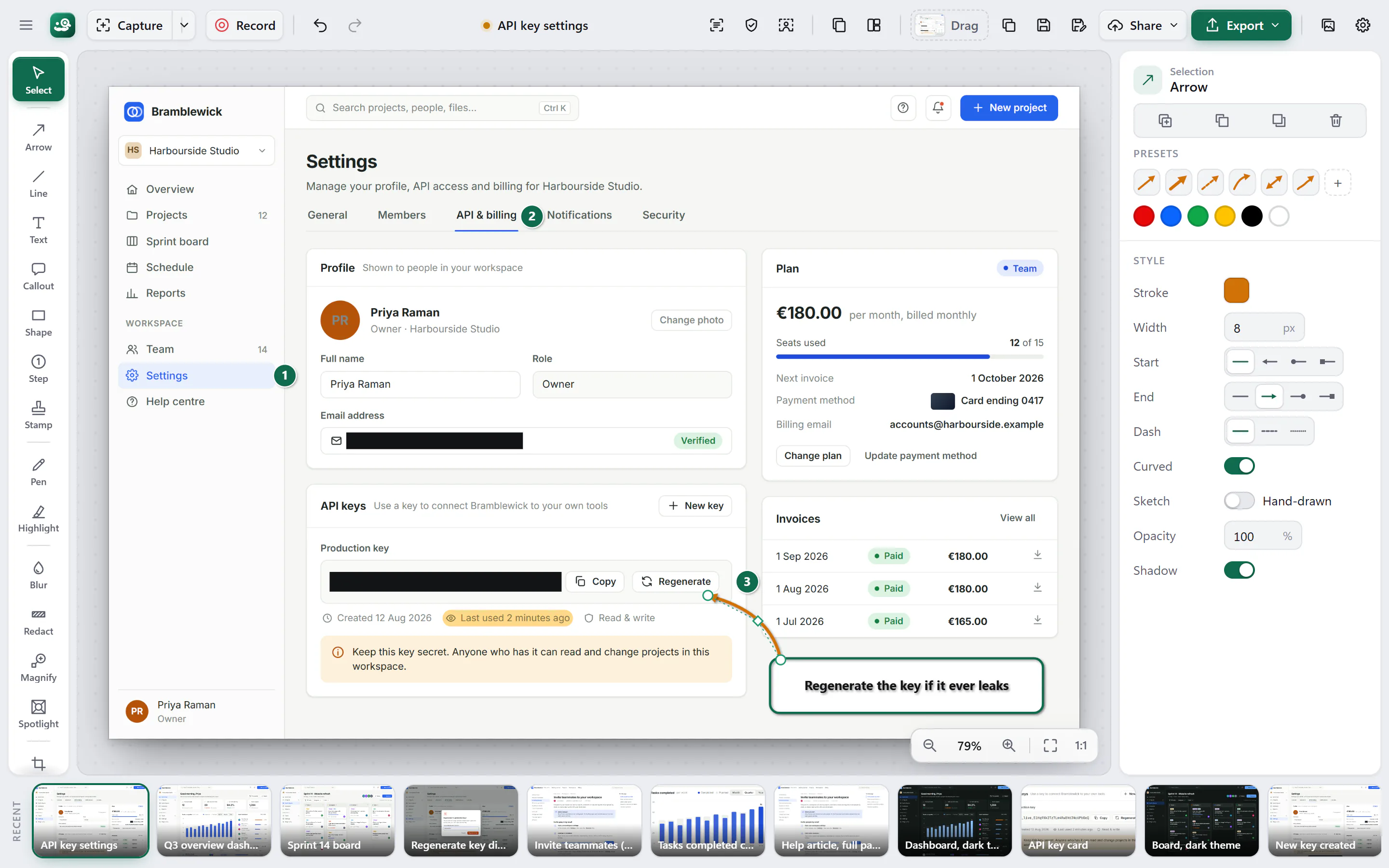
- Same state as editor-dark.webp in the light theme
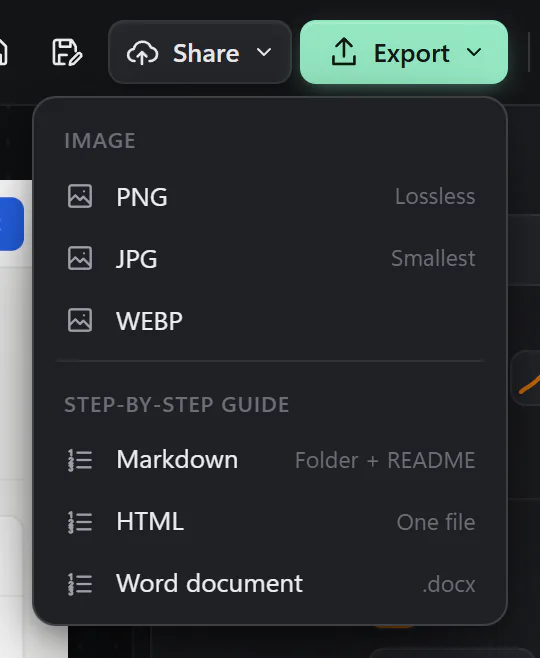
- Export menu open: PNG (Lossless), JPG (Smallest), WEBP; step-by-step guide as Markdown (Folder + README), HTML (One file), Word document (.docx)
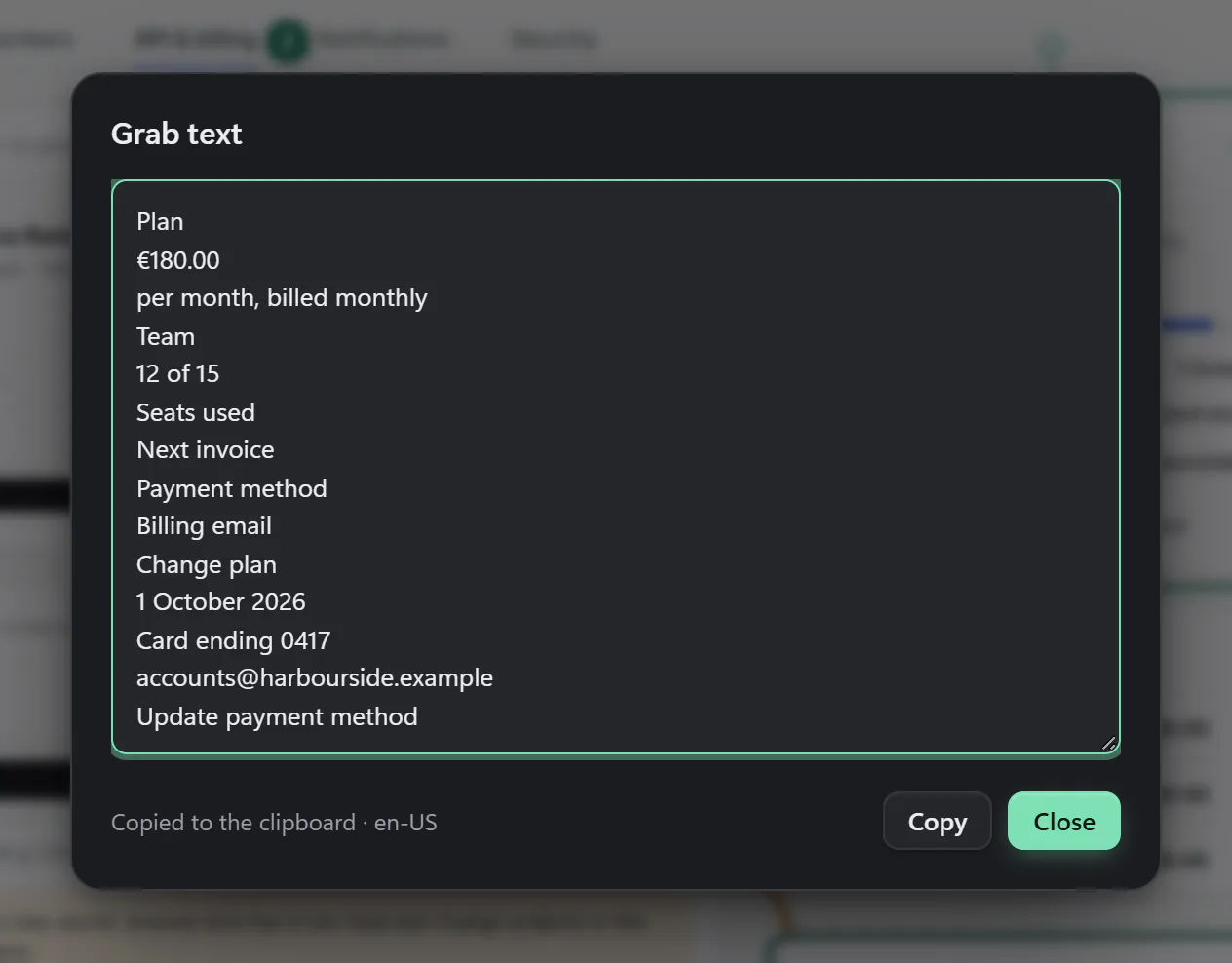
- Grab text dialog for a selected rectangle around the Plan card. The text is real Windows.Media.Ocr output for the capture (tools/marketing/ocr.ps1), fed to the browser mock; the dialog is the app's
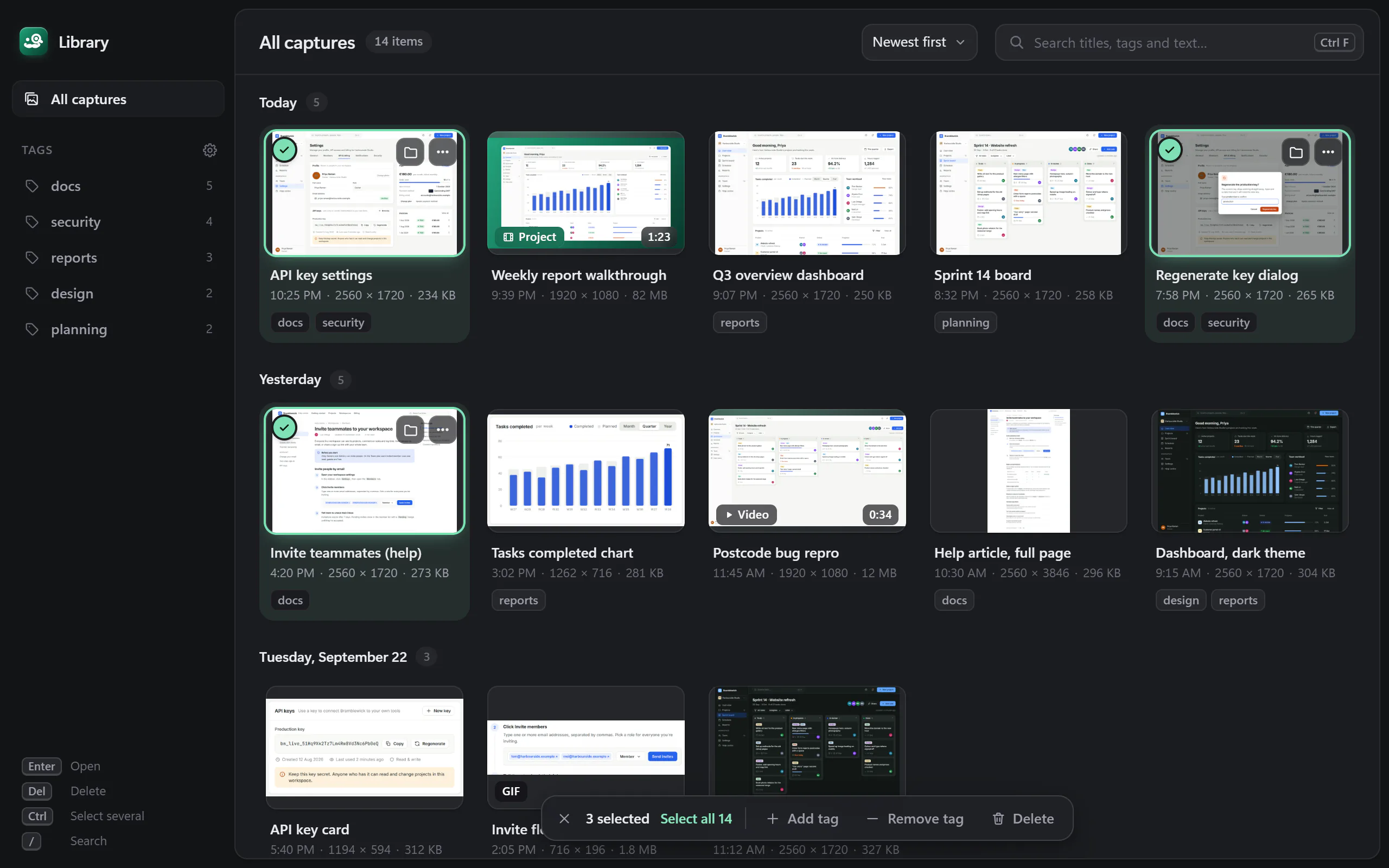
- Library (dark): 14 items grouped by day with thumbnails (captures, a video project, a video, a GIF), tag sidebar with counts, three captures multi-selected and the selection bar (Add tag, Remove tag, Delete)
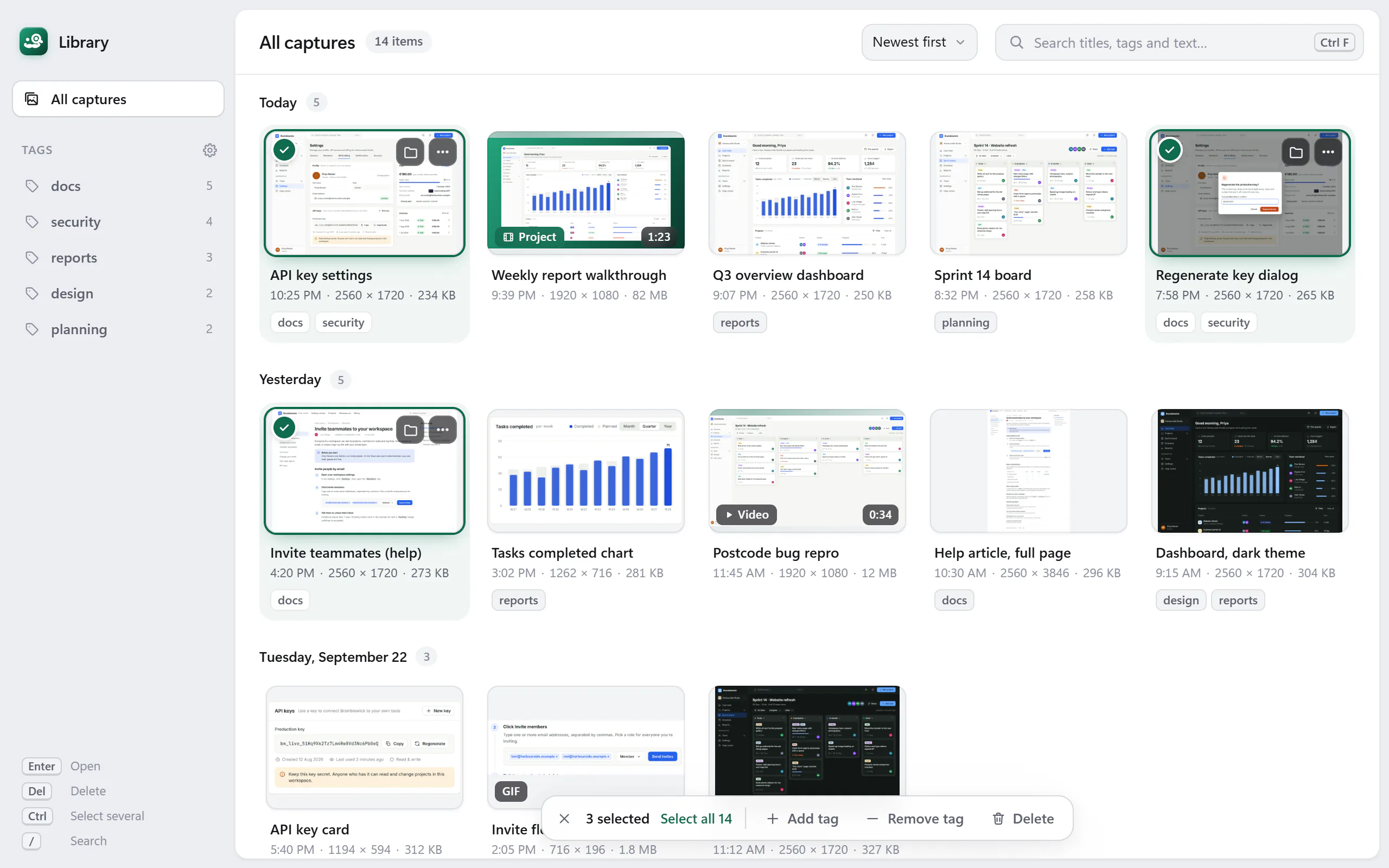
- Same state as library-dark.webp in the light theme
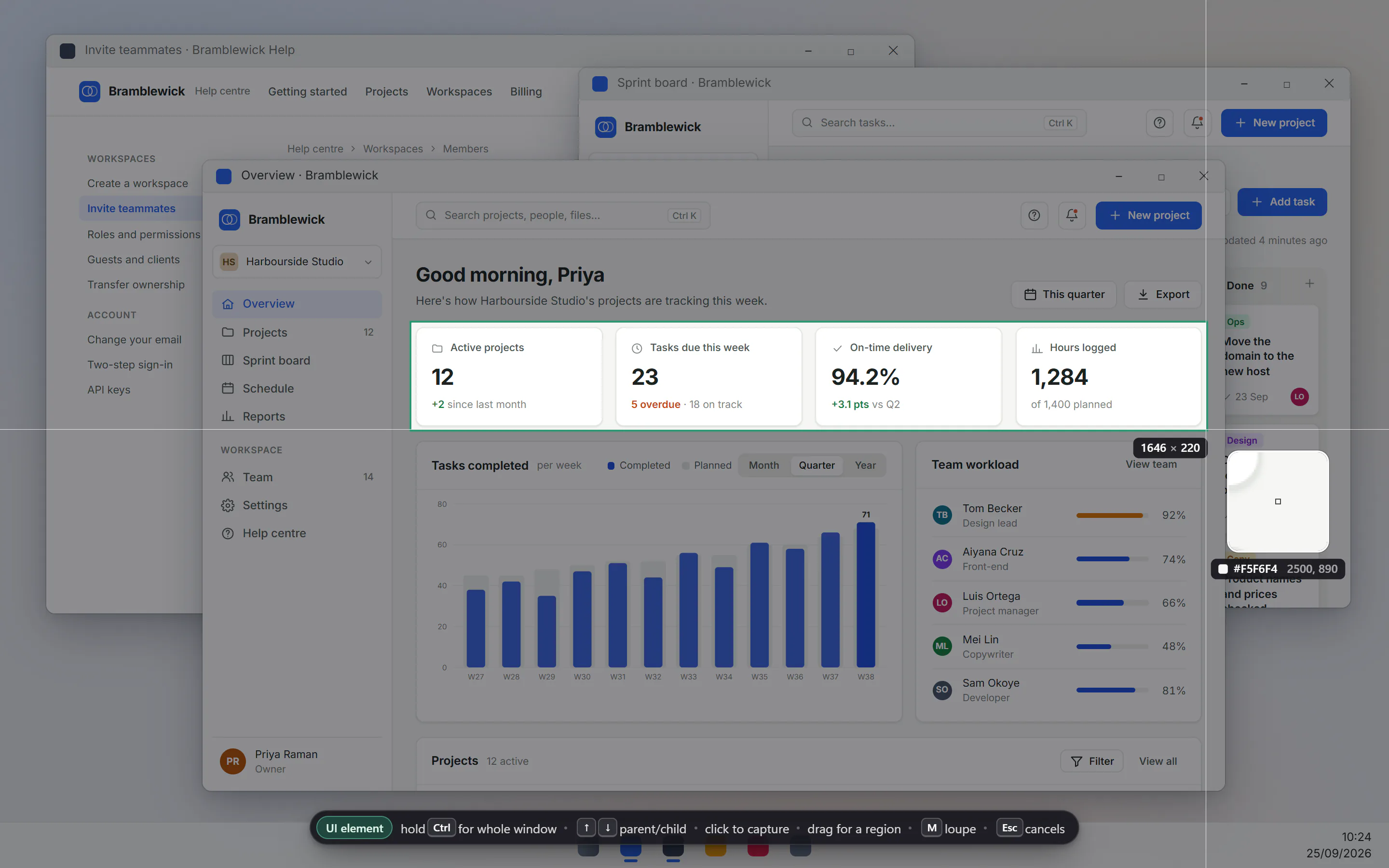
- Region capture overlay mid-drag over a desktop of three fictional app windows: dimmed screen, selection around a row of four dashboard cards, crosshair, size readout (1646 x 220), pixel loupe with colour and position, and the hint bar
- Recorder toolbar window (660x56) ready to record: timer, Video/GIF switch, microphone, system audio, camera and keystroke toggles, region size, Record button. Opaque window, no transparent margin
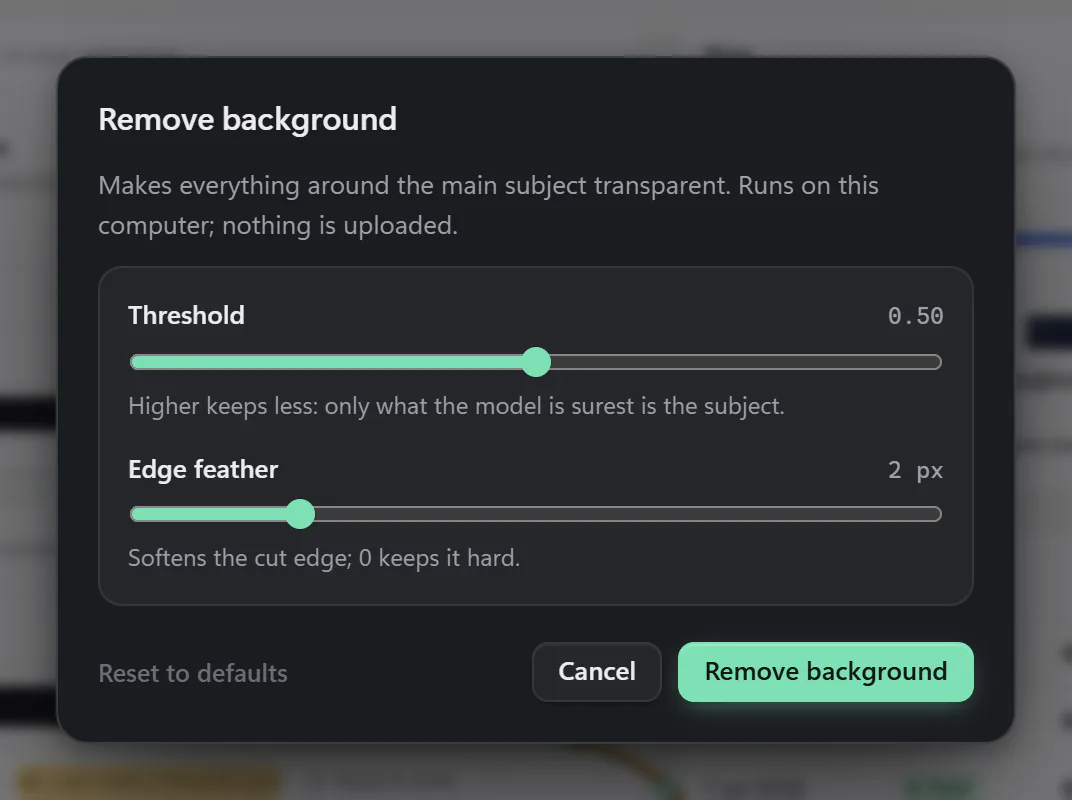
- Remove background options dialog (threshold and edge feather sliders, 'Runs on this computer; nothing is uploaded'). The dialog only: the browser mock has no segmentation model, so no before/after
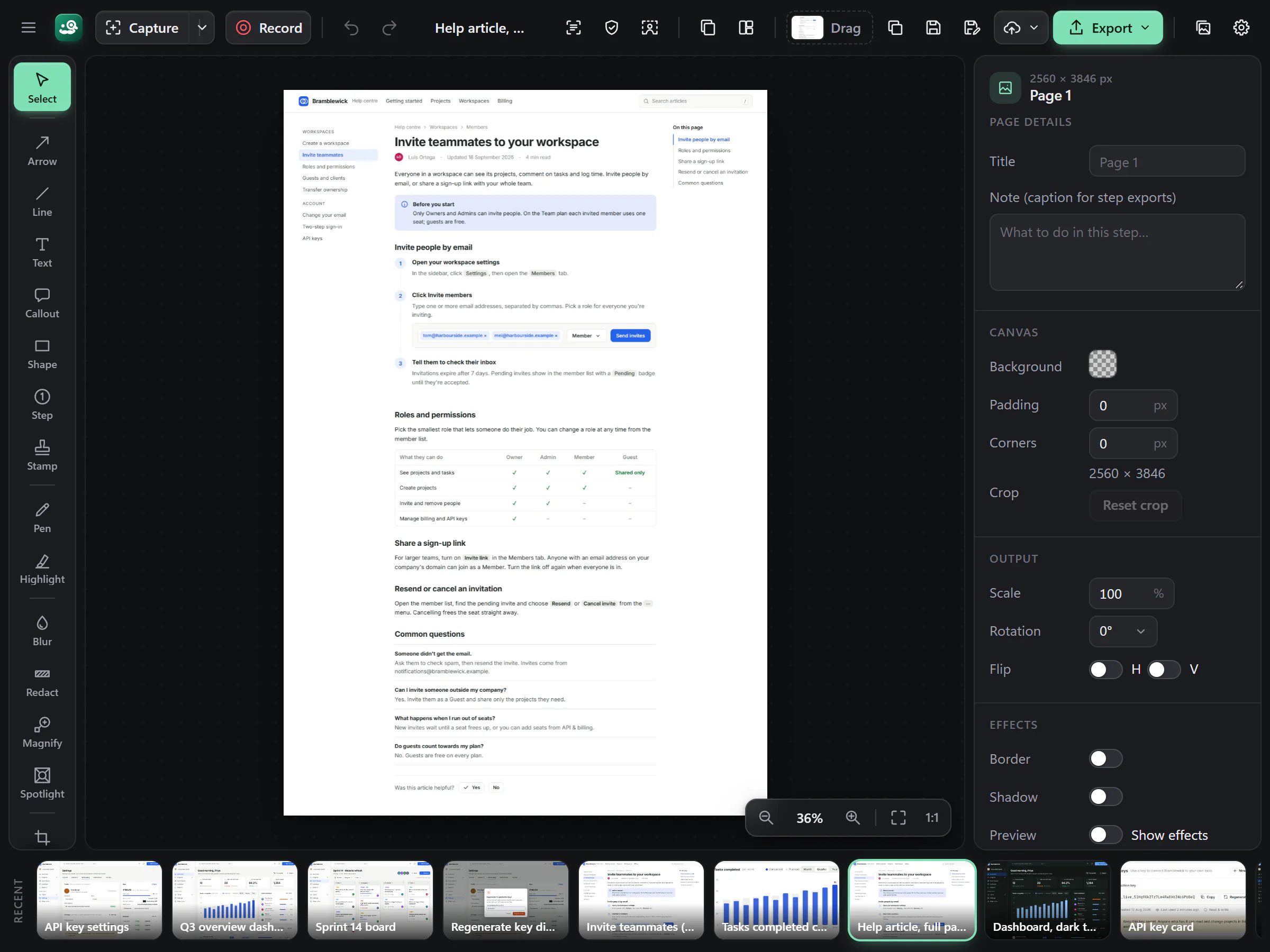
- A long (2560x3846 px) capture of a help article open in the editor, zoomed out to 36% to fit. Note: the tall image is a full-page render of the sample article, not the output of the app's scroll stitcher (the browser mock cannot scroll a real window)
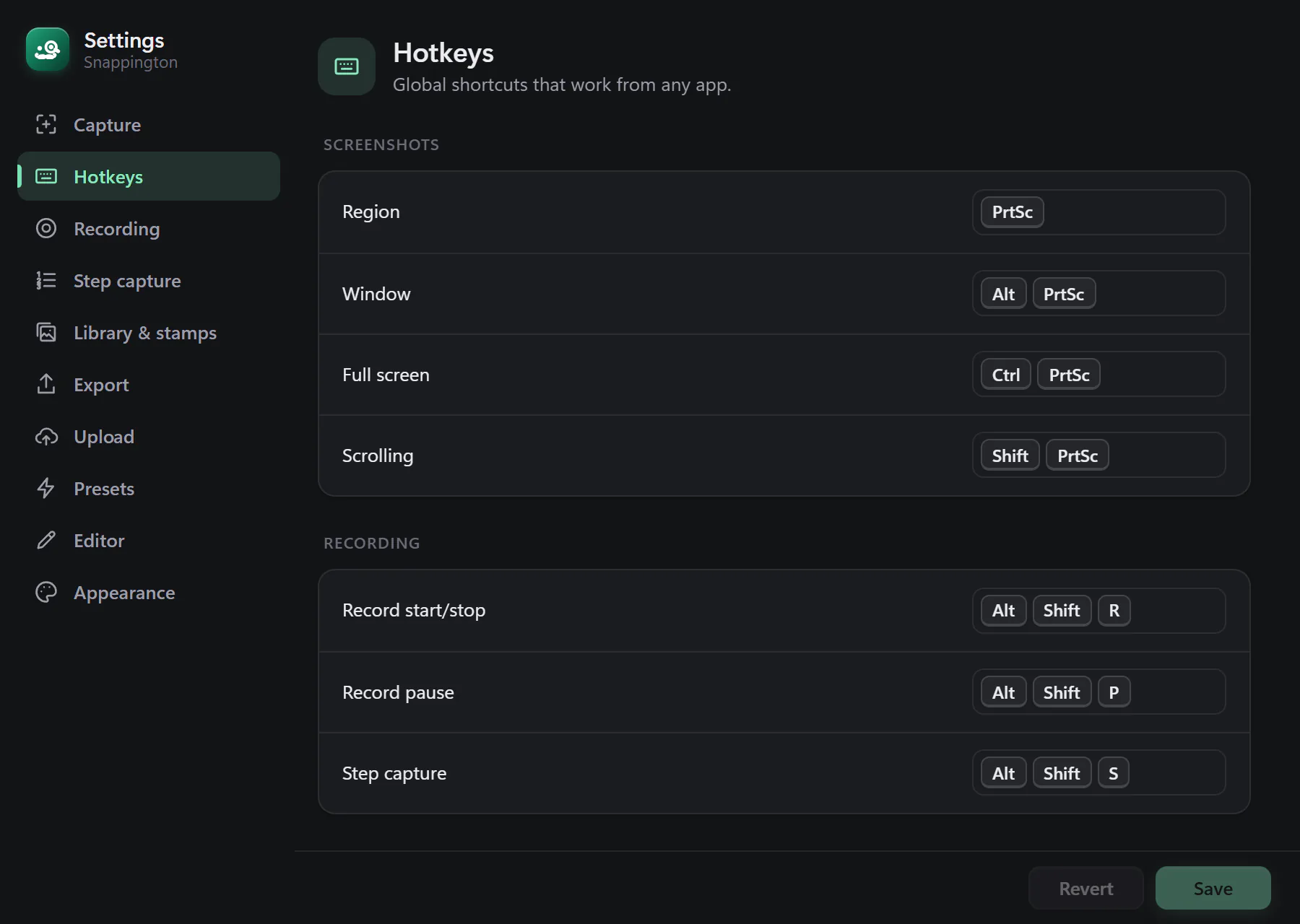
- Settings window at its default 900x640 size on the Hotkeys section: key caps for region, window, full-screen and scrolling capture and the recording shortcuts
- Step capture control window (430x56) mid-session: 3 steps captured, target picker (Whole screen), pause and Stop
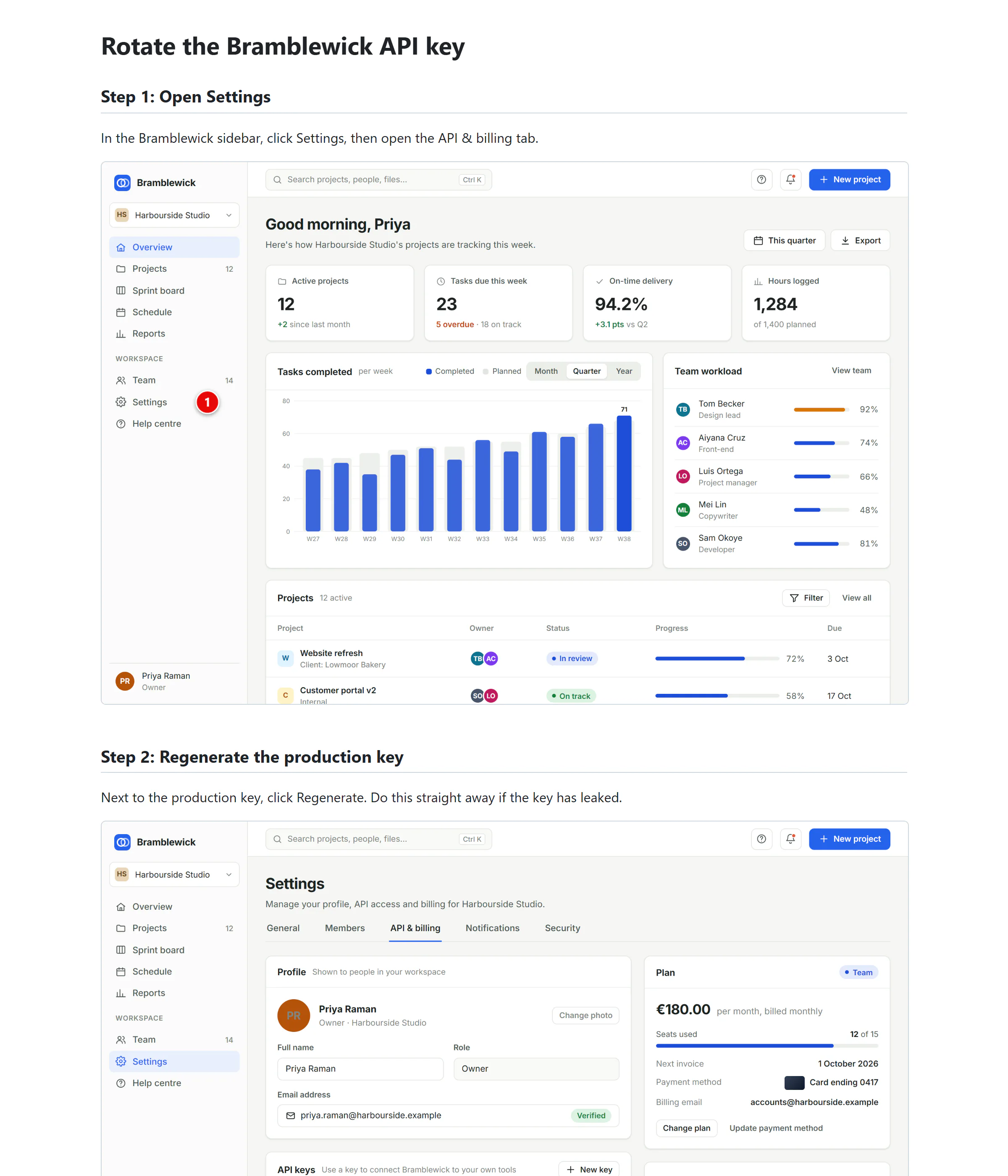
- Top of a step guide made by the app's own HTML exporter (snappington-cli export-steps, the same code as Export > Step-by-step guide) from a real 4-step .snpt step session built from the sample captures; images rendered by the Rust renderer, red step markers at the clicks
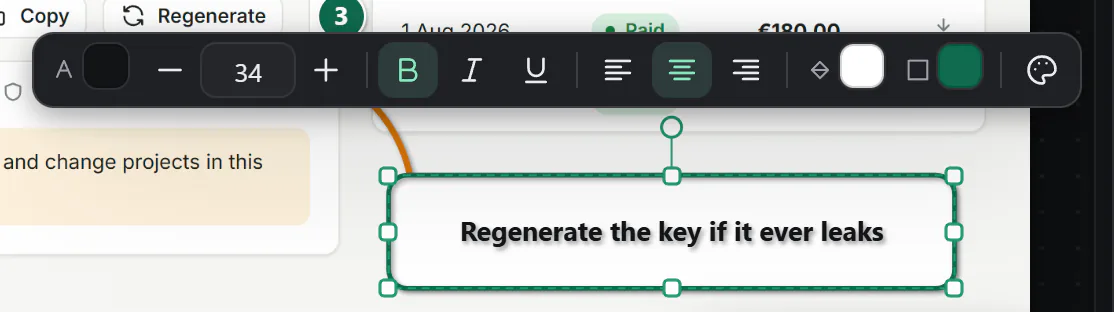
- Text mini toolbar floating over a selected callout: text colour, size 34 with minus/plus, bold, italic, underline, alignment, fill and outline colours, presets
- Editor tool rail with captions: Select, Arrow, Line, Text, Callout, Shape, Step, Stamp, Pen, Highlight, Blur, Redact, Magnify, Spotlight, Crop, Cut out, Select area (caption truncated by the app)
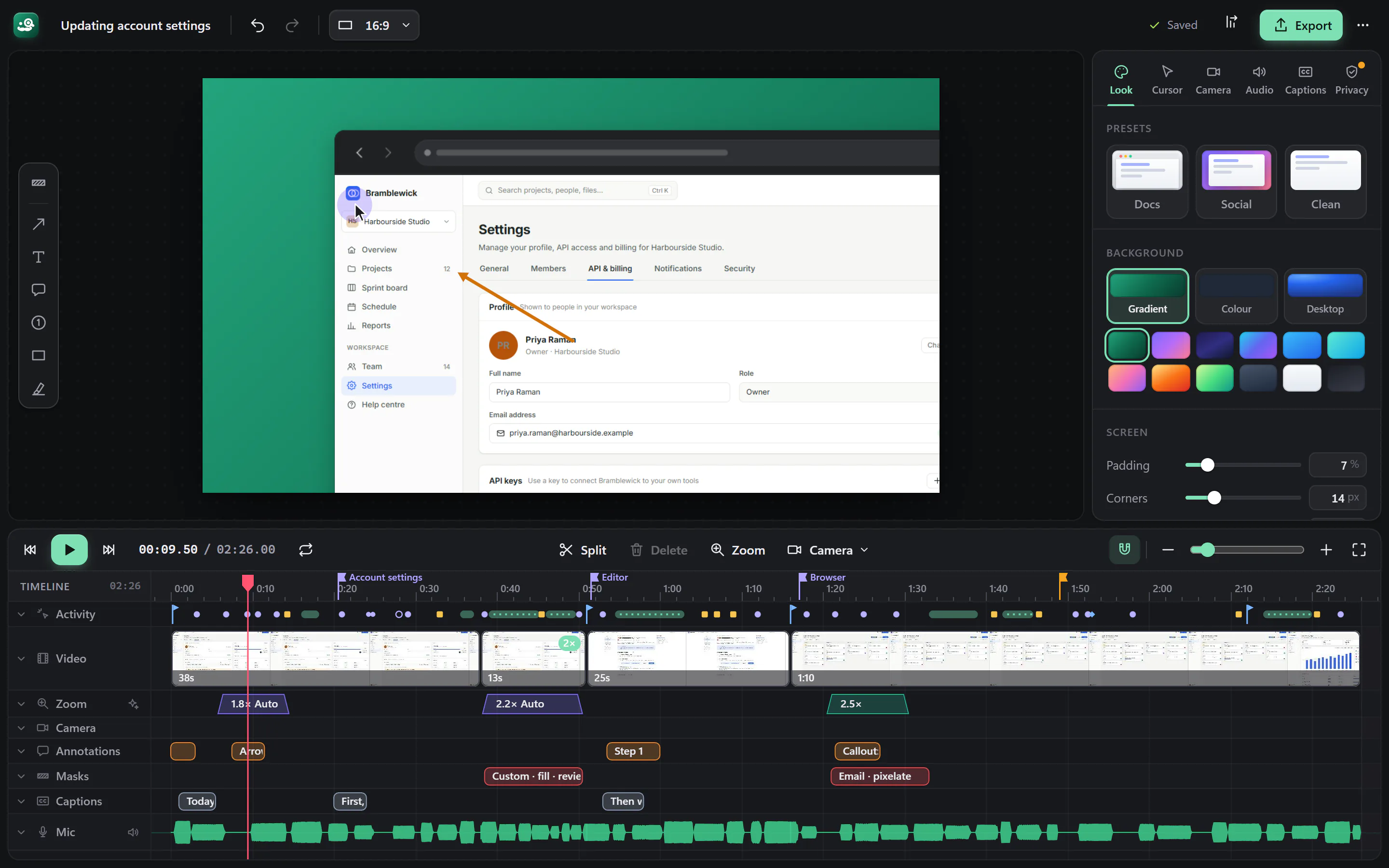
- Video editor with a demo recording: preview on a gradient background with padding, rounded corners and a browser frame, zoomed 1.8x on the app's sidebar while an arrow annotation points at it and the cursor clicks; timeline with clips (one at 2x speed), zoom segments, annotation, privacy and caption lanes and audio waveforms; Look inspector open